文字と上下線を2色の斜め線で区切ったCSS見出しデザイン

線と文字の色や位置は「-webkit-linear-gradient」プロパティを調整してください
<html style="max-height: 100%;"><head><script id="js-section">
</script><meta charset="UTF-8"><meta name="viewport" content="width=device-width, initial-scale=1.0"><meta http-equiv="X-UA-Compatible" content="ie=edge"><style id="basic-style">body,#svg-section{font-family:-apple-system,BlinkMacSystemFont,'Helvetica Neue','游ゴシック Medium',YuGothic,YuGothicM,'Hiragino Kaku Gothic ProN',メイリオ,Meiryo,sans-serif;}a,abbr,acronym,address,applet,article,aside,audio,b,big,blockquote,body,canvas,caption,center,cite,code,dd,del,details,dfn,div,dl,dt,em,embed,fieldset,figcaption,figure,footer,form,h1,h2,h3,h4,h5,h6,header,hgroup,html,i,iframe,img,ins,kbd,label,legend,li,mark,menu,nav,object,ol,output,p,pre,q,ruby,s,samp,section,small,span,strike,strong,sub,summary,sup,table,tbody,td,tfoot,th,thead,time,tr,tt,u,ul,var,video{margin:0;padding:0;border:0;font-size:100%;font:inherit;vertical-align:baseline}article,aside,details,figcaption,figure,footer,header,hgroup,menu,nav,section{display:block}body,svg{line-height:1}ol,ul{list-style:none}blockquote,q{quotes:none}blockquote:after,blockquote:before,q:after,q:before{content:'';content:none}table{border-collapse:collapse;border-spacing:0}</style><style id="root-style">:root{--pic-image-data:none;}</style><style id="out-style">.pic-container {
display: flex;
justify-content: center;
flex-direction: column;
width: 600px;
height: 338px;
padding: 0 6rem;
box-sizing: border-box;
background-color: #fefefe;
}
h2 {
position: relative;
padding: 1rem 1rem;
margin-bottom: 0.2rem;
background: -webkit-linear-gradient(120deg, #66c5dd 0 50%, #353535 50%);
-webkit-background-clip: text;
-webkit-text-fill-color: transparent;
color: black;
font-weight: bold;
font-size: 26px;
text-align: center;
}
h2::before,
h2::after {
position: absolute;
height: 0.4rem;
width: 100%;
content: '';
}
h2::before {
top: 0px;
left: 0;
background: linear-gradient(150deg, #353535 0 59%, #66c5dd 59%);
}
h2::after {
bottom: 0px;
right: 0;
background: linear-gradient(150deg, #353535 0 42%, #66c5dd 42%);
}
</style><style id="pic-style"></style><style id="body-style">body,#svg-section {font-family:-apple-system,BlinkMacSystemFont,'Helvetica Neue','游ゴシック Medium',YuGothic,YuGothicM,'Hiragino Kaku Gothic ProN',メイリオ,Meiryo,sans-serif;}</style><link href="chrome-extension://nffaoalbilbmmfgbnbgppjihopabppdk/inject.css" type="text/css" rel="stylesheet"></head><body id="svg-section" style="width: 600px; height: 337.5px; transform-origin: left top; transform: scale(1); overflow: auto;" class="vsc-initialized"><div class="pic-container pic-background" height="100%">
<h2>CSSでつくる見出しデザイン</h2>
</div>
</body></html>
破線を下に引いたシンプルなCSS見出しデザイン
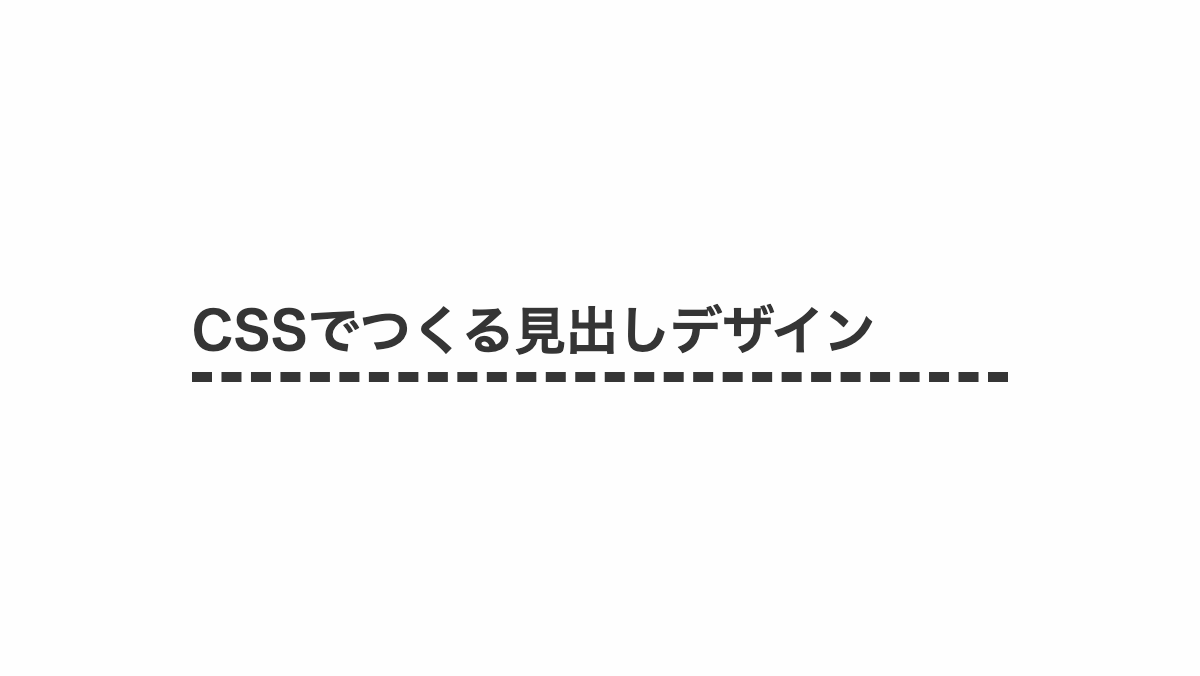
破線、テキスト色は「color」プロパティで調整してください
<html style="max-height: 100%;"><head><script id="js-section">
</script><meta charset="UTF-8"><meta name="viewport" content="width=device-width, initial-scale=1.0"><meta http-equiv="X-UA-Compatible" content="ie=edge"><style id="basic-style">body,#svg-section{font-family:-apple-system,BlinkMacSystemFont,'Helvetica Neue','游ゴシック Medium',YuGothic,YuGothicM,'Hiragino Kaku Gothic ProN',メイリオ,Meiryo,sans-serif;}a,abbr,acronym,address,applet,article,aside,audio,b,big,blockquote,body,canvas,caption,center,cite,code,dd,del,details,dfn,div,dl,dt,em,embed,fieldset,figcaption,figure,footer,form,h1,h2,h3,h4,h5,h6,header,hgroup,html,i,iframe,img,ins,kbd,label,legend,li,mark,menu,nav,object,ol,output,p,pre,q,ruby,s,samp,section,small,span,strike,strong,sub,summary,sup,table,tbody,td,tfoot,th,thead,time,tr,tt,u,ul,var,video{margin:0;padding:0;border:0;font-size:100%;font:inherit;vertical-align:baseline}article,aside,details,figcaption,figure,footer,header,hgroup,menu,nav,section{display:block}body,svg{line-height:1}ol,ul{list-style:none}blockquote,q{quotes:none}blockquote:after,blockquote:before,q:after,q:before{content:'';content:none}table{border-collapse:collapse;border-spacing:0}</style><style id="root-style">:root{--pic-image-data:none;}</style><style id="out-style">.pic-container {
display: flex;
justify-content: center;
flex-direction: column;
width: 600px;
height: 338px;
padding: 0 6rem;
box-sizing: border-box;
background-color: #fefefe;
}
h2 {
margin-bottom: 0.2rem;
padding: 0.5rem 0;
color: #353535;
border-bottom: 5px dashed #353535;
font-weight: bold;
font-size: 26px;
}
</style><style id="pic-style"></style><style id="body-style">body,#svg-section {font-family:-apple-system,BlinkMacSystemFont,'Helvetica Neue','游ゴシック Medium',YuGothic,YuGothicM,'Hiragino Kaku Gothic ProN',メイリオ,Meiryo,sans-serif;}</style><link href="chrome-extension://nffaoalbilbmmfgbnbgppjihopabppdk/inject.css" type="text/css" rel="stylesheet"></head><body id="svg-section" style="width: 600px; height: 337.5px; transform-origin: left top; transform: scale(1); overflow: auto;" class="vsc-initialized"><div class="pic-container pic-background" height="100%">
<h2>CSSでつくる見出しデザイン</h2>
</div>
</body></html>
文字を二色にして下線を引いたCSS見出しデザイン

線の色とテキストの色は「border-bottom」と「linear-gradient」から変更してください
<html style="max-height: 100%;"><head><script id="js-section">
</script><meta charset="UTF-8"><meta name="viewport" content="width=device-width, initial-scale=1.0"><meta http-equiv="X-UA-Compatible" content="ie=edge"><style id="basic-style">body,#svg-section{font-family:-apple-system,BlinkMacSystemFont,'Helvetica Neue','游ゴシック Medium',YuGothic,YuGothicM,'Hiragino Kaku Gothic ProN',メイリオ,Meiryo,sans-serif;}a,abbr,acronym,address,applet,article,aside,audio,b,big,blockquote,body,canvas,caption,center,cite,code,dd,del,details,dfn,div,dl,dt,em,embed,fieldset,figcaption,figure,footer,form,h1,h2,h3,h4,h5,h6,header,hgroup,html,i,iframe,img,ins,kbd,label,legend,li,mark,menu,nav,object,ol,output,p,pre,q,ruby,s,samp,section,small,span,strike,strong,sub,summary,sup,table,tbody,td,tfoot,th,thead,time,tr,tt,u,ul,var,video{margin:0;padding:0;border:0;font-size:100%;font:inherit;vertical-align:baseline}article,aside,details,figcaption,figure,footer,header,hgroup,menu,nav,section{display:block}body,svg{line-height:1}ol,ul{list-style:none}blockquote,q{quotes:none}blockquote:after,blockquote:before,q:after,q:before{content:'';content:none}table{border-collapse:collapse;border-spacing:0}</style><style id="root-style">:root{--pic-image-data:none;}</style><style id="out-style">.pic-container {
position: relative;
display: flex;
justify-content: center;
flex-direction: column;
width: 600px;
height: 338px;
padding: 0 6rem;
box-sizing: border-box;
background-color: #fefefe;
z-index: 0;
}
h2 {
position: relative;
margin-bottom: 0.2rem;
background: linear-gradient(180deg, #353535 0 60%, #b2d5de 60%);
-webkit-background-clip: text;
color: transparent;
font-weight: bold;
font-size: 26px;
text-align: center;
}
h2::before {
position: absolute;
left: 0;
bottom: 0px;
width: 100%;
height: 40%;
background-color: #353535;
z-index: -1;
content: '';
}
</style><style id="pic-style"></style><style id="body-style">body,#svg-section {font-family:-apple-system,BlinkMacSystemFont,'Helvetica Neue','游ゴシック Medium',YuGothic,YuGothicM,'Hiragino Kaku Gothic ProN',メイリオ,Meiryo,sans-serif;}</style><link href="chrome-extension://nffaoalbilbmmfgbnbgppjihopabppdk/inject.css" type="text/css" rel="stylesheet"></head><body id="svg-section" style="width: 600px; height: 337.5px; transform-origin: left top; transform: scale(1); overflow: auto;" class="vsc-initialized"><div class="pic-container pic-background" height="100%">
<h2>CSSでつくる見出しデザイン</h2>
</div>
</body></html>
グラデーションの下線を引いたCSS見出しデザイン
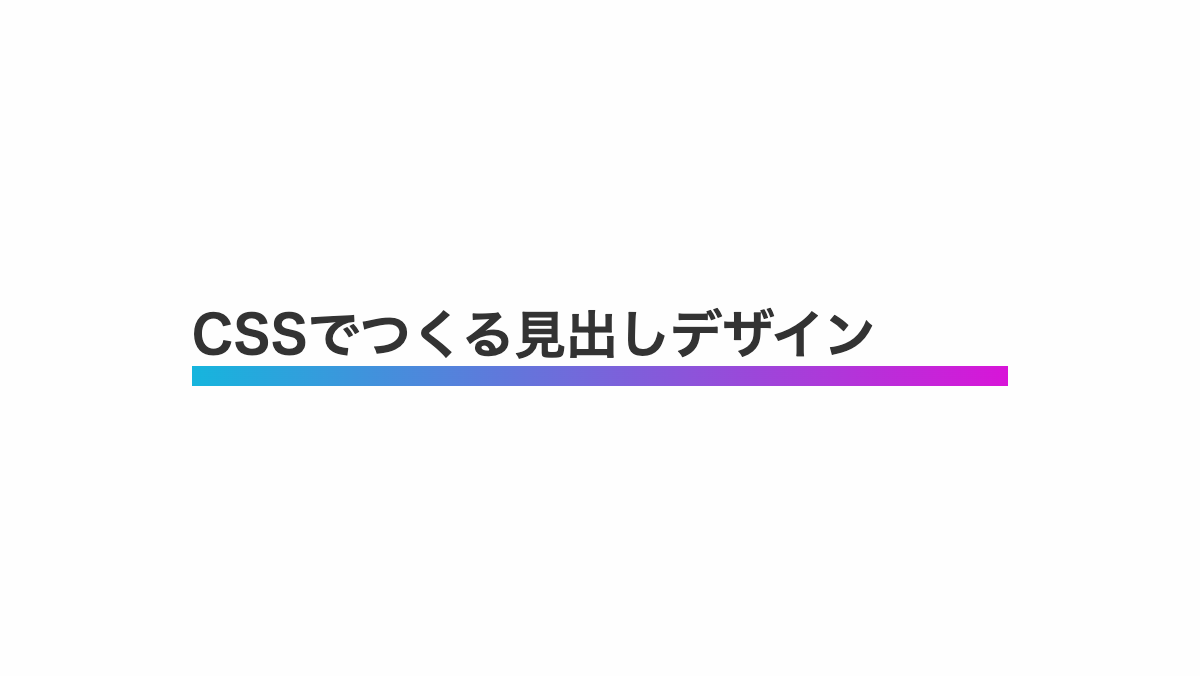
ブログやWEB制作の見出しなどにご活用ください
<html style="max-height: 100%;"><head><script id="js-section">
</script><meta charset="UTF-8"><meta name="viewport" content="width=device-width, initial-scale=1.0"><meta http-equiv="X-UA-Compatible" content="ie=edge"><style id="basic-style">body,#svg-section{font-family:-apple-system,BlinkMacSystemFont,'Helvetica Neue','游ゴシック Medium',YuGothic,YuGothicM,'Hiragino Kaku Gothic ProN',メイリオ,Meiryo,sans-serif;}a,abbr,acronym,address,applet,article,aside,audio,b,big,blockquote,body,canvas,caption,center,cite,code,dd,del,details,dfn,div,dl,dt,em,embed,fieldset,figcaption,figure,footer,form,h1,h2,h3,h4,h5,h6,header,hgroup,html,i,iframe,img,ins,kbd,label,legend,li,mark,menu,nav,object,ol,output,p,pre,q,ruby,s,samp,section,small,span,strike,strong,sub,summary,sup,table,tbody,td,tfoot,th,thead,time,tr,tt,u,ul,var,video{margin:0;padding:0;border:0;font-size:100%;font:inherit;vertical-align:baseline}article,aside,details,figcaption,figure,footer,header,hgroup,menu,nav,section{display:block}body,svg{line-height:1}ol,ul{list-style:none}blockquote,q{quotes:none}blockquote:after,blockquote:before,q:after,q:before{content:'';content:none}table{border-collapse:collapse;border-spacing:0}</style><style id="root-style">:root{--pic-image-data:none;}</style><style id="out-style">.pic-container {
display: flex;
justify-content: center;
flex-direction: column;
width: 600px;
height: 338px;
padding: 0 6rem;
box-sizing: border-box;
background-color: #fefefe;
}
h2 {
position: relative;
padding: 0.8rem 0;
margin-bottom: 0.2rem;
color: #333;
background: linear-gradient(90deg, #16b5dd 0%, #d815d8 100%);
background-repeat: no-repeat;
background-size: 100% 10px;
background-position: bottom;
font-weight: bold;
font-size: 26px;
}
</style><style id="pic-style"></style><style id="body-style">body,#svg-section {font-family:-apple-system,BlinkMacSystemFont,'Helvetica Neue','游ゴシック Medium',YuGothic,YuGothicM,'Hiragino Kaku Gothic ProN',メイリオ,Meiryo,sans-serif;}</style><link href="chrome-extension://nffaoalbilbmmfgbnbgppjihopabppdk/inject.css" type="text/css" rel="stylesheet"></head><body id="svg-section" style="width: 600px; height: 337.5px; transform-origin: left top; transform: scale(1); overflow: auto;" class="vsc-initialized"><div class="pic-container pic-background" height="100%">
<h2>CSSでつくる見出しデザイン</h2>
</div>
<script id="js-section">
</script></body></html>
グラデーションの小さい線を入れたCSS見出しデザイン

「linear-gradient」で下線をグラデーションにしています
<html style="max-height: 100%;"><head><script id="js-section">
</script><meta charset="UTF-8"><meta name="viewport" content="width=device-width, initial-scale=1.0"><meta http-equiv="X-UA-Compatible" content="ie=edge"><style id="basic-style">body,#svg-section{font-family:-apple-system,BlinkMacSystemFont,'Helvetica Neue','游ゴシック Medium',YuGothic,YuGothicM,'Hiragino Kaku Gothic ProN',メイリオ,Meiryo,sans-serif;}a,abbr,acronym,address,applet,article,aside,audio,b,big,blockquote,body,canvas,caption,center,cite,code,dd,del,details,dfn,div,dl,dt,em,embed,fieldset,figcaption,figure,footer,form,h1,h2,h3,h4,h5,h6,header,hgroup,html,i,iframe,img,ins,kbd,label,legend,li,mark,menu,nav,object,ol,output,p,pre,q,ruby,s,samp,section,small,span,strike,strong,sub,summary,sup,table,tbody,td,tfoot,th,thead,time,tr,tt,u,ul,var,video{margin:0;padding:0;border:0;font-size:100%;font:inherit;vertical-align:baseline}article,aside,details,figcaption,figure,footer,header,hgroup,menu,nav,section{display:block}body,svg{line-height:1}ol,ul{list-style:none}blockquote,q{quotes:none}blockquote:after,blockquote:before,q:after,q:before{content:'';content:none}table{border-collapse:collapse;border-spacing:0}</style><style id="root-style">:root{--pic-image-data:none;}</style><style id="out-style">.pic-container {
display: flex;
justify-content: center;
flex-direction: column;
width: 600px;
height: 338px;
padding: 0 6rem;
box-sizing: border-box;
background-color: #fefefe;
}
/*--------------------------------*/
/* プログの見出しで使用する場合は */
/* ↓ここからコピーしてください */
/*--------------------------------*/
h2 {
position: relative;
padding: 0.5rem 0 2rem;
margin-bottom: 0.5rem;
font-weight: bold;
font-size: 26px;
background-image: linear-gradient(135deg, #16b5dd 10%, #b2d5de 100%);
background-repeat: no-repeat;
background-size: 4rem 0.4rem;
background-position: bottom;
text-align: center;
}
</style><style id="pic-style"></style><style id="body-style">body,#svg-section {font-family:-apple-system,BlinkMacSystemFont,'Helvetica Neue','游ゴシック Medium',YuGothic,YuGothicM,'Hiragino Kaku Gothic ProN',メイリオ,Meiryo,sans-serif;}</style><link href="chrome-extension://nffaoalbilbmmfgbnbgppjihopabppdk/inject.css" type="text/css" rel="stylesheet"></head><body id="svg-section" style="width: 600px; height: 337.5px; transform-origin: left top; transform: scale(1); overflow: auto;" class="vsc-initialized"><div class="pic-container pic-background" height="100%">
<h2>CSSでつくる見出しデザイン</h2>
</div>
</body></html>
下線をグラデーションにしたCSS見出しデザイン
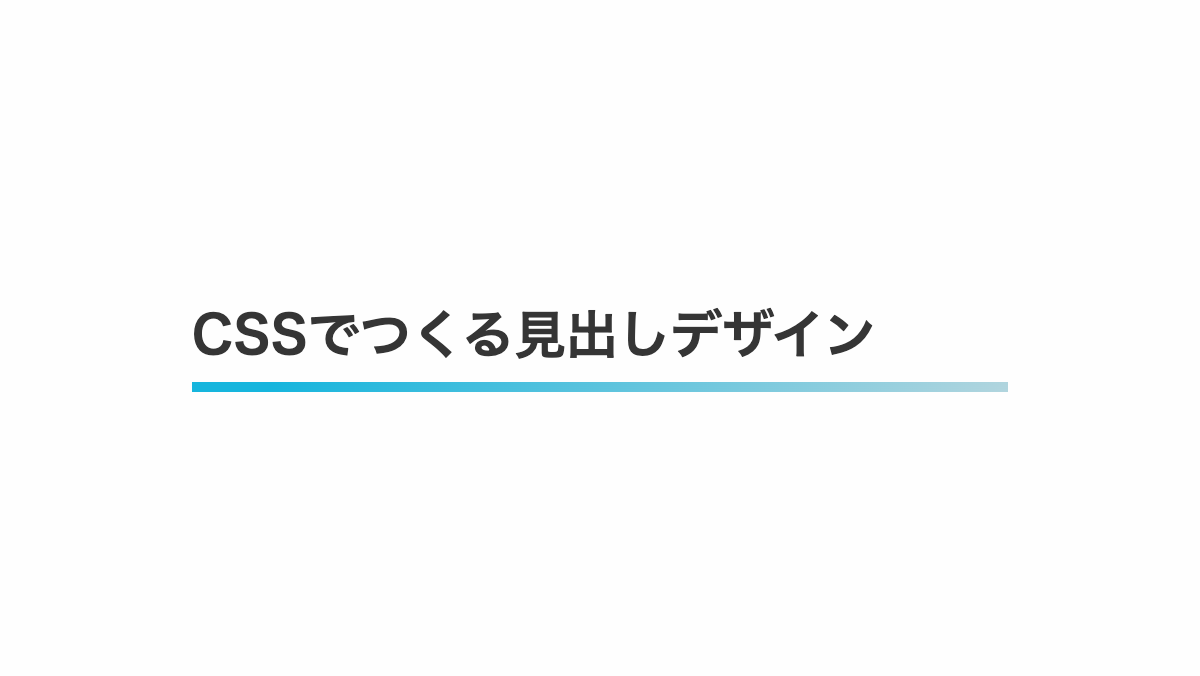
下線は「background-image」で調整可能です。
<html style="max-height: 100%;"><head><script id="js-section">
</script><meta charset="UTF-8"><meta name="viewport" content="width=device-width, initial-scale=1.0"><meta http-equiv="X-UA-Compatible" content="ie=edge"><style id="basic-style">body,#svg-section{font-family:-apple-system,BlinkMacSystemFont,'Helvetica Neue','游ゴシック Medium',YuGothic,YuGothicM,'Hiragino Kaku Gothic ProN',メイリオ,Meiryo,sans-serif;}a,abbr,acronym,address,applet,article,aside,audio,b,big,blockquote,body,canvas,caption,center,cite,code,dd,del,details,dfn,div,dl,dt,em,embed,fieldset,figcaption,figure,footer,form,h1,h2,h3,h4,h5,h6,header,hgroup,html,i,iframe,img,ins,kbd,label,legend,li,mark,menu,nav,object,ol,output,p,pre,q,ruby,s,samp,section,small,span,strike,strong,sub,summary,sup,table,tbody,td,tfoot,th,thead,time,tr,tt,u,ul,var,video{margin:0;padding:0;border:0;font-size:100%;font:inherit;vertical-align:baseline}article,aside,details,figcaption,figure,footer,header,hgroup,menu,nav,section{display:block}body,svg{line-height:1}ol,ul{list-style:none}blockquote,q{quotes:none}blockquote:after,blockquote:before,q:after,q:before{content:'';content:none}table{border-collapse:collapse;border-spacing:0}</style><style id="root-style">:root{--pic-image-data:none;}</style><style id="out-style">.pic-container {
display: flex;
justify-content: center;
flex-direction: column;
width: 600px;
height: 338px;
padding: 0 6rem;
box-sizing: border-box;
background-color: #fefefe;
}
:root{
--accent-color: #b2d5de;
--accent-color2: #16b5dd;
}
h2 {
padding: 1rem 0 1rem;
margin-bottom: 0.2rem;
background-image: linear-gradient(135deg, var(--accent-color2) 10%, var(--accent-color) 100%);
background-repeat: no-repeat;
background-size: 100% 10%;
background-position: bottom;
color: #353535;
font-weight: bold;
font-size: 26px;
}
</style><style id="pic-style"></style><style id="body-style">body,#svg-section {font-family:-apple-system,BlinkMacSystemFont,'Helvetica Neue','游ゴシック Medium',YuGothic,YuGothicM,'Hiragino Kaku Gothic ProN',メイリオ,Meiryo,sans-serif;}</style><link href="chrome-extension://nffaoalbilbmmfgbnbgppjihopabppdk/inject.css" type="text/css" rel="stylesheet"></head><body id="svg-section" style="width: 600px; height: 337.5px; transform-origin: left top; transform: scale(1); overflow: auto;" class="vsc-initialized"><div class="pic-container pic-background">
<h2>CSSでつくる見出しデザイン</h2>
</div>
</body></html>
最初の文字をグラデーションにしたCSS見出しデザイン
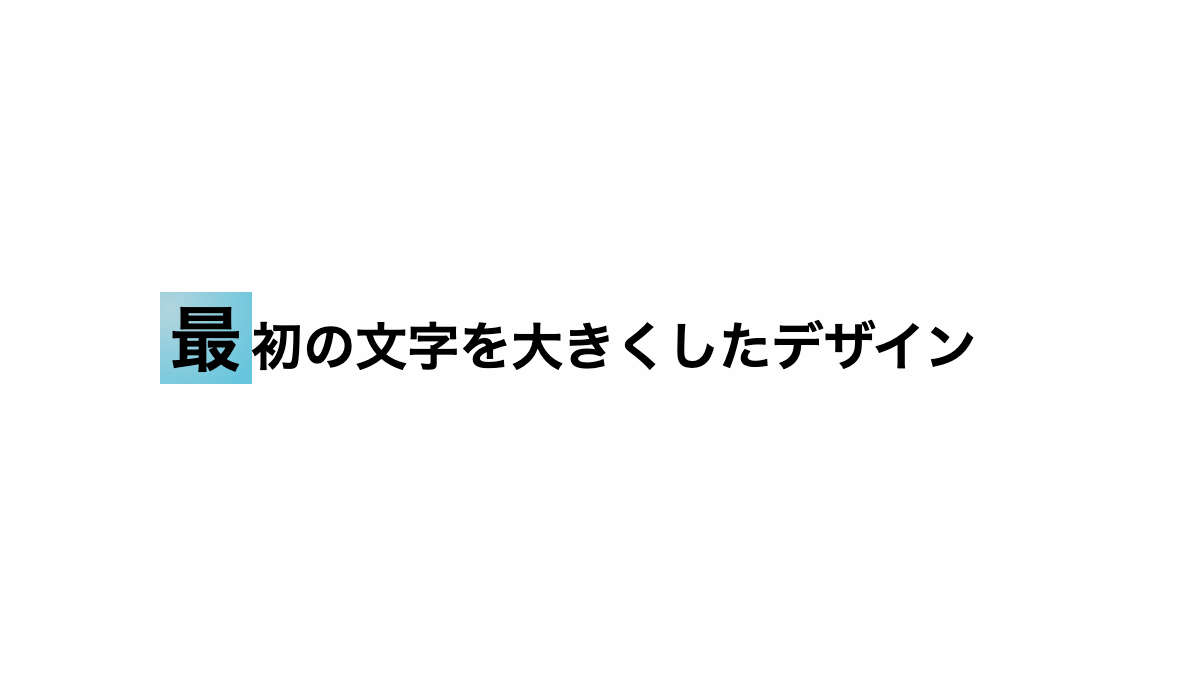
first-letter疑似要素で最初の文字をグラデーションにしています。 グラデーションを変更する場合は「linear-gradient」を調整してください。
<html style="max-height: 100%;"><head><script id="js-section">
</script><meta charset="UTF-8"><meta name="viewport" content="width=device-width, initial-scale=1.0"><meta http-equiv="X-UA-Compatible" content="ie=edge"><style id="basic-style">body,#svg-section{font-family:-apple-system,BlinkMacSystemFont,'Helvetica Neue','游ゴシック Medium',YuGothic,YuGothicM,'Hiragino Kaku Gothic ProN',メイリオ,Meiryo,sans-serif;}a,abbr,acronym,address,applet,article,aside,audio,b,big,blockquote,body,canvas,caption,center,cite,code,dd,del,details,dfn,div,dl,dt,em,embed,fieldset,figcaption,figure,footer,form,h1,h2,h3,h4,h5,h6,header,hgroup,html,i,iframe,img,ins,kbd,label,legend,li,mark,menu,nav,object,ol,output,p,pre,q,ruby,s,samp,section,small,span,strike,strong,sub,summary,sup,table,tbody,td,tfoot,th,thead,time,tr,tt,u,ul,var,video{margin:0;padding:0;border:0;font-size:100%;font:inherit;vertical-align:baseline}article,aside,details,figcaption,figure,footer,header,hgroup,menu,nav,section{display:block}body,svg{line-height:1}ol,ul{list-style:none}blockquote,q{quotes:none}blockquote:after,blockquote:before,q:after,q:before{content:'';content:none}table{border-collapse:collapse;border-spacing:0}</style><style id="root-style">:root{--pic-image-data:none;}</style><style id="out-style">.pic-container {
display: flex;
justify-content: center;
flex-direction: column;
width: 600px;
height: 338px;
padding: 0 4rem;
box-sizing: border-box;
background-color: #fefefe;
}
h2 {
padding: 1rem;
border-radius: 0.3rem;
font-size: 26px;
font-weight: bold;
}
h2::first-letter {
padding: 0.3rem;
background-image: radial-gradient(circle farthest-corner at 10% 20%, #b2d5de 0%, #66c5dd 90%);
font-size: 36px;
}
</style><style id="pic-style"></style><style id="body-style">body,#svg-section {font-family:-apple-system,BlinkMacSystemFont,'Helvetica Neue','游ゴシック Medium',YuGothic,YuGothicM,'Hiragino Kaku Gothic ProN',メイリオ,Meiryo,sans-serif;}</style><link href="chrome-extension://nffaoalbilbmmfgbnbgppjihopabppdk/inject.css" type="text/css" rel="stylesheet"></head><body id="svg-section" style="width: 600px; height: 337.5px; transform-origin: left top; transform: scale(1); overflow: auto;" class="vsc-initialized"><div class="pic-container pic-background">
<h2>最初の文字を大きくしたデザイン</h2>
</div>
</body></html>